Most local businesses treat their Google Business Profile the way they treat a business card — fill it out once, then forget it exists. That's a mistake. Google's local ranking algorithm rewards activity, not just accuracy, and a profile that hasn't been touched in six months quietly loses ground to competitors who update theirs every week.
- Why "set and forget" hurts you
- What to update every week
- How LGA Pro automates most of this
- Tools that make weekly updates easier
- How to track whether it's working
- Setting up a system that survives busy weeks
- Splitting the work across a team
- Seasonal and holiday adjustments
- Advanced: testing what actually works
- A real example
- FAQs About Weekly GMB Updates
Why "set and forget" hurts you ( h2 )
Google can't read your mind about whether your business is still active, still relevant, and still worth showing in the Local Pack. What it can measure is signal: how often your listing changes, how recently you responded to a review, how fresh your photos are. A stale profile isn't just unhelpful to customers — it's a weak signal that quietly drags your ranking down over time.
What to update every week ( h2 )
- Hours and holiday exceptions — even a single incorrect hour listed drives customers.
- At least one new photo — interior, product, team, a finished job. Fresh photos correlate strongly with more profile views.
- Reply to every new review — positive or negative, within 48 hours.
- Publish a GMB post — an offer, an update, a new service. This is the single easiest weekly habit that most businesses skip entirely. The AI Content Assistant can draft one in under a minute.
- Check the Q&A tab — unanswered questions sit there publicly, visible to every future customer who visits your listing.
A profile that changes every week tells Google — and your customers — that the business behind it is actually open, actually active, and actually worth trusting.
How LGA Pro automates most of this ( h2 )
What gets synced automatically ( h3 )
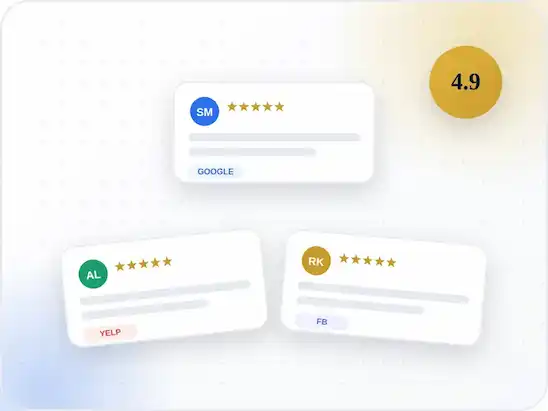
LGA Pro's GMB Sync Connector keeps your hours, photos and posts synced automatically between your website and your Google Business Profile, so updating one updates both. The review aggregator widget pulls new reviews onto your site in real time, which makes the "reply within 48 hours" habit much easier to keep — you see new reviews the moment they land, not a week later when you happen to check.
None of this replaces genuine attention to your listing. But it removes the busywork, so the ten minutes you spend on your Google Business Profile each week actually goes toward the things that move rankings — not toward manually copying the same hours into two different dashboards.
What syncs, in detail ( h4 )
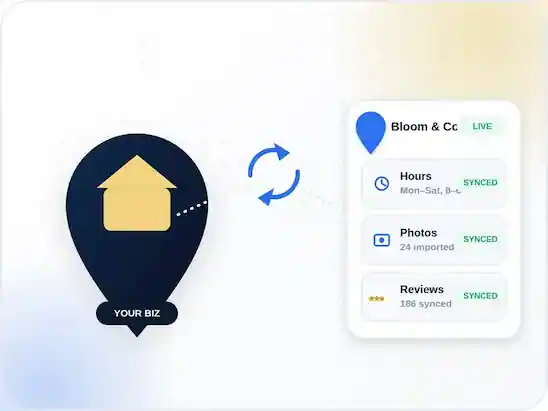
The Sync Connector watches three fields on your website and mirrors any change to your Google Business Profile within minutes — no separate login, no copy-pasting the same update twice.
Hours & photos ( h5 )
Update your hours once, on your own site, and the change pushes to GMB automatically — including one-off holiday overrides.
Real-time propagation ( h6 )
Most edits reflect on your Business Profile within minutes; see the Good to know note above for the rare cases that take longer.
Google typically reflects GMB Post and photo changes within a few hours, but hours and attribute edits can take up to 24 hours to fully propagate. Still not showing after that? Talk to our team.
The Sync Connector dashboard shows a small "Synced" badge next to each field once Google confirms the update, so you don't have to keep switching tabs to check.
A 3-step weekly routine ( h3 )
- Monday: Scan the Q&A tab and reply to every new review from the week before.
- Wednesday: Publish one GMB post — an offer, update or finished job photo.
- Friday: Double-check hours against any upcoming holidays or closures.
Set a single recurring 10-minute calendar block each week. Businesses that batch this into one habit keep it up far longer than those who try to "do it whenever."
If you manage multiple locations, stagger the blocks by a day each — Monday for location A, Tuesday for location B — so no single day becomes overwhelming.
Mistakes to avoid ( h3 )
Editing hours or categories directly in GMB without also updating your website — the mismatch is exactly the kind of NAP (Name, Address, Phone) inconsistency that hurts local rankings. Google cross-references your website, your Business Profile and third-party directories, and when they disagree it treats your listing as less trustworthy. Even small differences, like "St." on one platform and "Street" on another, can quietly work against you over time. The fix is simple in principle — always update the same source of truth first — but easy to forget when you're moving quickly.
A printable one-pager for this exact routine — no signup required. Pairs well with the GMB Sync Connector if you'd rather automate it.
Tools that make weekly updates easier ( h2 )
You don't need a bigger team to keep this habit going — you need the repetitive parts handled for you. Here's what most LGA Pro customers lean on every week:
- GMB Sync Connector — keeps hours, photos and posts synced both ways, automatically.
- Review Aggregator — surfaces new reviews on your site the moment they land, so you never miss the 48-hour reply window.
- AI Content Assistant — drafts a GMB post in seconds on the weeks you're short on time or ideas.
None of these replace judgment — they just remove the parts of the routine that don't need a human doing them by hand. Browse the full plugin suite for more automation options.
How to track whether it's working ( h2 )
The three numbers to check monthly ( h3 )
A weekly habit is only worth keeping if you can see it moving the needle. Check these three numbers once a month, not every day:
Step 1: Local Visibility Score. LGA Pro's dashboard tracks how often your listing appears in relevant local searches — watch the trend line, not any single week's number.
Step 2: Review response rate. Aim for 100% within 48 hours. If it starts slipping, that's usually the first habit to fall off when things get busy.
Step 3: Profile views vs. website clicks. A rising view count with flat website clicks often means your GMB post isn't compelling enough — try a sharper offer next week.
The whole routine, at a glance ( h3 )
Three things to touch. Three steps to do it.
- Hours & photos
- Reviews & replies
- One GMB post
- Sync it
- Post it
- Track it
How often to actually check ( h3 )
Monthly, not daily. Local rankings move slowly and a single day's dip is usually noise, not signal — checking daily just trains you to react to fluctuations that reverse themselves within a week anyway.
Setting up a system that survives busy weeks ( h2 )
Why willpower doesn't scale ( h3 )
The businesses that keep this up for a year, not a month, build a system around it instead of relying on remembering. That means turning the routine into something that happens automatically, not something you have to think about every Monday.
Put it on the calendar, not the to-do list ( h3 )
A to-do list item competes with everything else you didn't get to today. A calendar block has a start time and an end time — it either happens or it visibly didn't. Set it up once:
- One recurring event, same day, same time every week
- 10 minutes — no longer, or it starts feeling like a chore
- A phone reminder 5 minutes before, not just a calendar popup
Most calendar apps let you attach a checklist directly to the recurring event — Google Calendar, Outlook and Apple Calendar all support it. Paste your weekly checklist in once and it shows up automatically every time the event repeats.
Make it visible to your team ( h3 )
If anyone else touches the business's marketing, share the calendar block rather than keeping it private. A visible recurring event doubles as a quiet reminder that someone owns this — and makes it obvious if a week gets skipped.
Splitting the work across a team ( h2 )
Who owns what ( h3 )
If you're an agency or a business with more than one person touching marketing, this routine works best when one person owns it end-to-end rather than being split evenly. Shared ownership quietly becomes no one's job.
- Owner: publishes the weekly GMB post and checks hours against the calendar.
- Manager: replies to reviews within the 48-hour window.
- Assistant: monitors the Q&A tab and flags anything that needs an owner's answer.
When to escalate to the owner ( h4 )
A negative review, a factual error in a customer question, or anything touching pricing — the Manager or Assistant flags it, but the Owner has the final say before it goes out publicly.
A simple weekly rotation ( h3 )
For teams that do want to rotate ownership — vacations happen — keep the handoff dead simple:
- Whoever owned last week posts a one-line handoff note in your team channel.
- This week's owner confirms they've seen it before Monday.
- Any open review replies or Q&A carry over explicitly — nothing is assumed "someone else got it."
When rotation goes wrong ( h3 )
Rotation fails silently when the handoff note gets skipped — the new owner assumes last week went fine and a review sits unanswered for two weeks instead of two days.
The one-line handoff isn't optional overhead; it's the whole point of rotating safely. Treat a missed handoff the same way you'd treat a missed review reply — worth a two-minute conversation, not a shrug.
A one-page worksheet for assigning Owner, Manager and Assistant roles on your team. Works well alongside the Multi-Location Manager if you're coordinating across branches.
Seasonal and holiday adjustments ( h2 )
The weekly routine stays constant, but a few things need extra attention around holidays and seasonal shifts — this is where most profiles quietly go stale without anyone noticing until a customer complains.
What to update each season ( h3 )
- Update holiday hours before the holiday, not the morning of — the GMB Sync Connector pushes the change to your site the moment you save it.
- Post a seasonal offer or update instead of your default weekly post
- Refresh your cover photo if your business looks visibly different by season
The most common seasonal mistake ( h3 )
Setting holiday hours once a year and forgetting to remove them afterward — a business that "closes early" every day in February because of a stale Christmas Eve override loses far more than it gained.
The safest fix is to set an end date on every seasonal override, not just a start date, so it expires automatically instead of relying on someone remembering to undo it.
Planning ahead for known dates ( h3 )
Holidays are predictable — put them on next year's calendar the moment this year's pass. A five-minute note in January saves a scramble in December, and it's the single easiest way to stop this mistake from repeating.
Advanced: testing what actually works ( h2 )
Once the routine is solid, the next step is figuring out which kind of weekly post actually moves the needle for your specific business — that's rarely obvious without testing. The AI Content Assistant makes this fast since it can draft several variants at once.
What to test first ( h3 )
Start with the offer itself, not the design — a discount vs. a limited-time bundle tells you more about what customers respond to than swapping a photo ever will. Save visual tweaks for once you know which offer type wins.
The 3-step testing process ( h3 )
- Pick two post styles to compare — an offer vs. a project photo, for example.
- Run each style for two consecutive weeks, not one — one week is noise.
- Compare profile views and "call now" clicks between the two, not just views alone.
Reading the results ( h3 )
Test one variable at a time. Changing the offer, the photo and the call-to-action all in the same week tells you that something worked — not which part did, and that ambiguity means you'll repeat the same guesswork next quarter instead of building on what you learned. Keep a simple log of what changed and when, even if it's just a note in your phone, so two weeks from now you can actually trace the result back to its cause rather than relying on memory.
A simple spreadsheet for logging post variants, views and call clicks week over week. Pairs with the Local Visibility Score on your dashboard.
A real example ( h2 )
What they changed ( h3 )
One LGA Pro customer — a two-location HVAC company — started this exact routine in January: one owner, one 10-minute Monday block, and nothing else about the business changed. No new ad spend, no rebrand — just the weekly habit tracked against the previous six months of set-and-forget.
The results after one quarter ( h3 )
- Local Pack visibility for their top three keywords roughly doubled
- Review response time dropped from an average of 9 days to under 24 hours
- Phone calls attributed to their Google Business Profile were up noticeably at both locations
The takeaway ( h3 )
We didn't change anything about the business. We just stopped ignoring the profile for six weeks at a time.
FAQs About Weekly GMB Updates ( h2 )
Now, let's go through some frequently asked questions about weekly GMB updates to help you understand the process, the common mistakes, and how it plays out for businesses managing this on their own.
1. How often should I actually post to my GMB profile?
Once a week is the minimum that keeps your signal fresh. Businesses running promotions or seasonal offers often post twice a week without any downside.
Once a week is the minimum that keeps your signal fresh. Businesses running promotions or seasonal offers often post twice a week without any downside.
2. Will LGA Pro's GMB Sync Connector post on my behalf automatically?
No — it syncs the content you publish on your site to GMB automatically, but you still choose what to publish. In practice that means:
- Hours & photos sync both ways the moment you update either side.
- GMB posts are drafted by you (or the AI Content Assistant) and published with one click.
- Reviews pull onto your site automatically, but replies are always written by you.
This keeps every post genuinely relevant to your business — nothing goes out without a human choosing it.
3. Does replying to reviews really affect rankings?
Yes. Google has confirmed review response rate and recency as ranking signals, separate from your star rating itself.
4. What if I manage multiple locations?
The same weekly routine applies per location. LGA Pro's Multi-Location Manager lets you batch hours and post updates across every branch from one dashboard.
5. What happens if I skip a week?
Nothing breaks immediately, but the signal fades. One skipped week rarely shows up in rankings — a pattern of skipped weeks does. Treat it like exercise, not an exam.
6. Do GMB posts actually get seen by customers?
Yes — they appear directly on your Business Profile in Search and Maps, and Google surfaces recent posts more prominently than old ones, which is part of why weekly posting matters.
7. Can I schedule GMB posts in advance?
Not natively through Google, but LGA Pro makes it easy to get a week's worth of posts ready in one sitting:
- Draft 3–4 posts with the AI Content Assistant.
- Queue them in the GMB Sync Connector.
- Publish each one on its scheduled day with a single click.

LocalBusiness Schema: The Complete Guide

How to Structure Location Pages That Actually Rank
Join the discussion
Comments (3)Leave a comment
- Be respectful
- Stay relevant
- Share real feedback
- No spam
- No personal attacks

The Q&A tab tip alone was worth reading this. Had four unanswered questions sitting there for months without realizing it.
Glad that helped, Raheel! That tab is the one most owners forget exists — worth a scan even outside the weekly routine the first time.
Same here — turned on the email alerts Raheel mentioned and caught a review reply that had been sitting unanswered for two weeks.
Small change, but it's already paid for itself twice over since I made the switch.
Worth adding: the Q&A notification only fires once a couple of things are set up right. If alerts never show up, check these in order:
Switched to the Monday/Wednesday/Friday routine after reading this and it's already easier to keep up with than trying to "get to it eventually."
Does the GMB Sync Connector work if I manage the listing through an agency account rather than owning it directly?
Yes — it works the same either way. A few things to double check on the agency side: